CV/JD Tool
From paper CVs to a signed, traceable record.
A Microsoft 365 system that replaced a paper-and-email process for collecting, attesting and approving employee CVs and job descriptions at Novo Nordisk, with signed PDF records and no custom app or extra licenses.
- Service design
- UI/UX design
- UX writing
- Accessibility
- 4Statuses, one shared lifecycle
- 3Roles: employee, manager, admin
- 0Extra licenses or custom apps
The Challenge
Employee CVs and job descriptions were collected and approved by paper and email. The organization needed structured, consistent records, formal attestation and approval with identity and timestamps, PDFs linked to their source data, and employees kept out of each other’s records. Administrators also had to be able to support it without buying a new platform.
The Solution
I designed the system on SharePoint lists, native forms, column formatting, Power Automate and Approvals. Employees enter a structured CV or JD and submit it. They attest, their manager approves, and a branded PDF record is generated. One lifecycle covers both document types, and the interface only ever shows each person what they can do next.
Responsibilities
Clarity for every role, on the platform people already have.
- Hi-fi concept and mockups
- Lifecycle and status design
- Role-aware actions
- UX writing and page microcopy
- Accessible status system
- Admin UX standards
- Rollout readiness
- Site and flow ownership
The Outcome
The system replaced the paper-and-email process and is in use across a pilot and later rollout cohorts, with a brand refresh applied live in September 2026. A compliance and operations partner owned the business process. I owned the product, its design and the site.
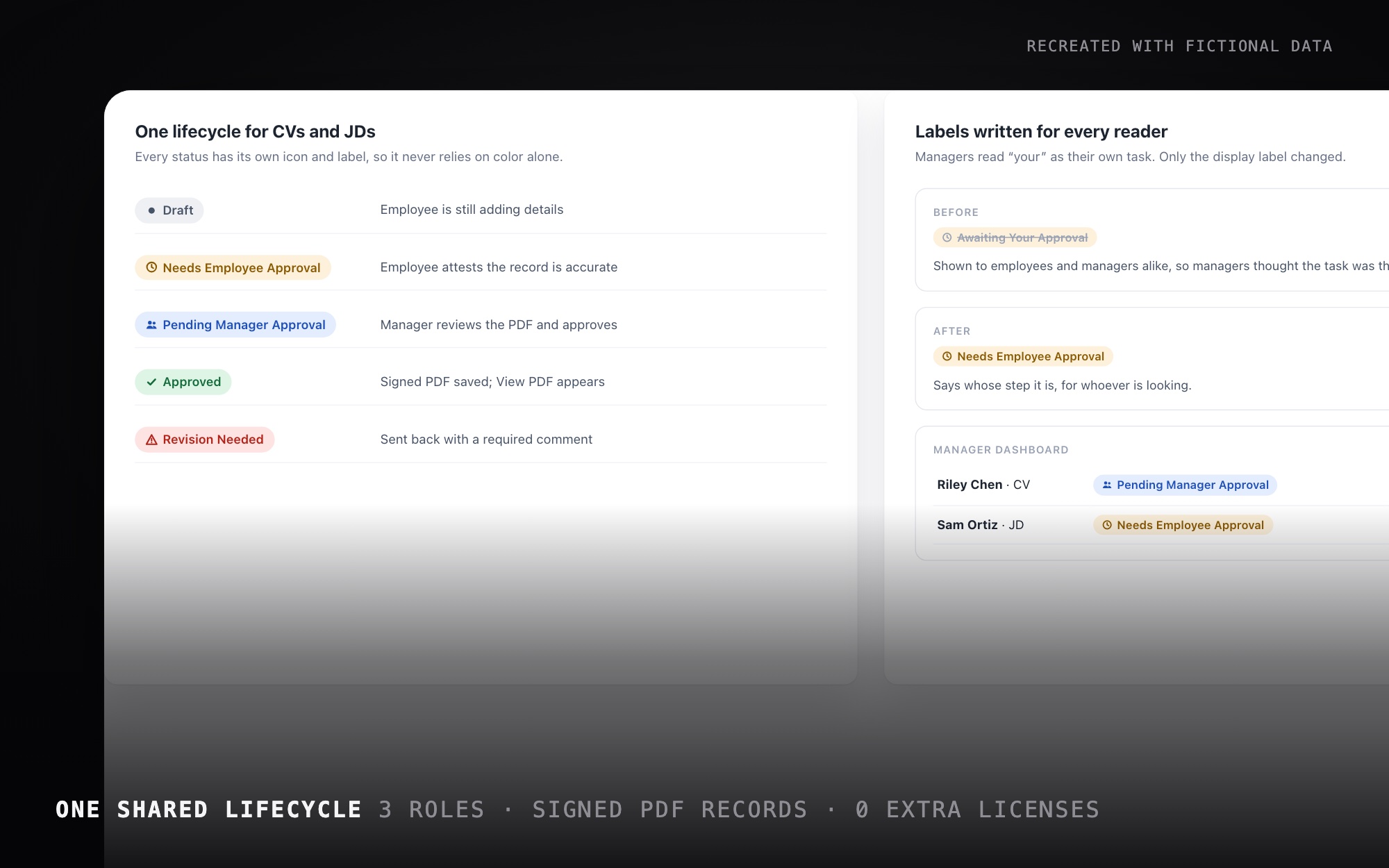
One lifecycle, four statuses
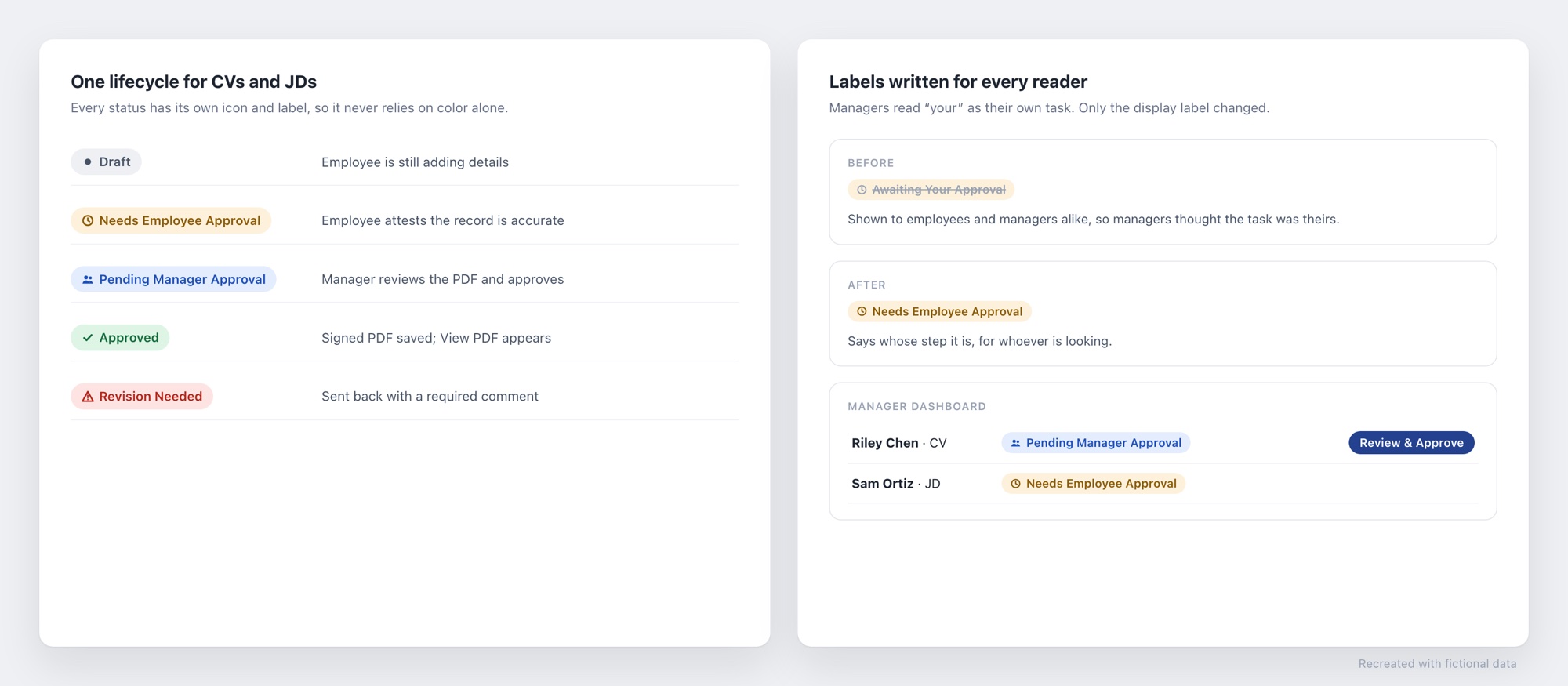
CVs and job descriptions share one lifecycle: Draft, Needs Employee Approval, Pending Manager Approval and Approved, plus a Revision Needed state. Every status has its own icon, text and accessible label, so the meaning never depends on color alone.
Labels written from real confusion
“Awaiting Your Approval” became “Needs Employee Approval.” Managers were reading “your” as their own task.
Only the display label changed. The underlying value stayed the same, so the flows and existing records kept working.
Show people only what they can do
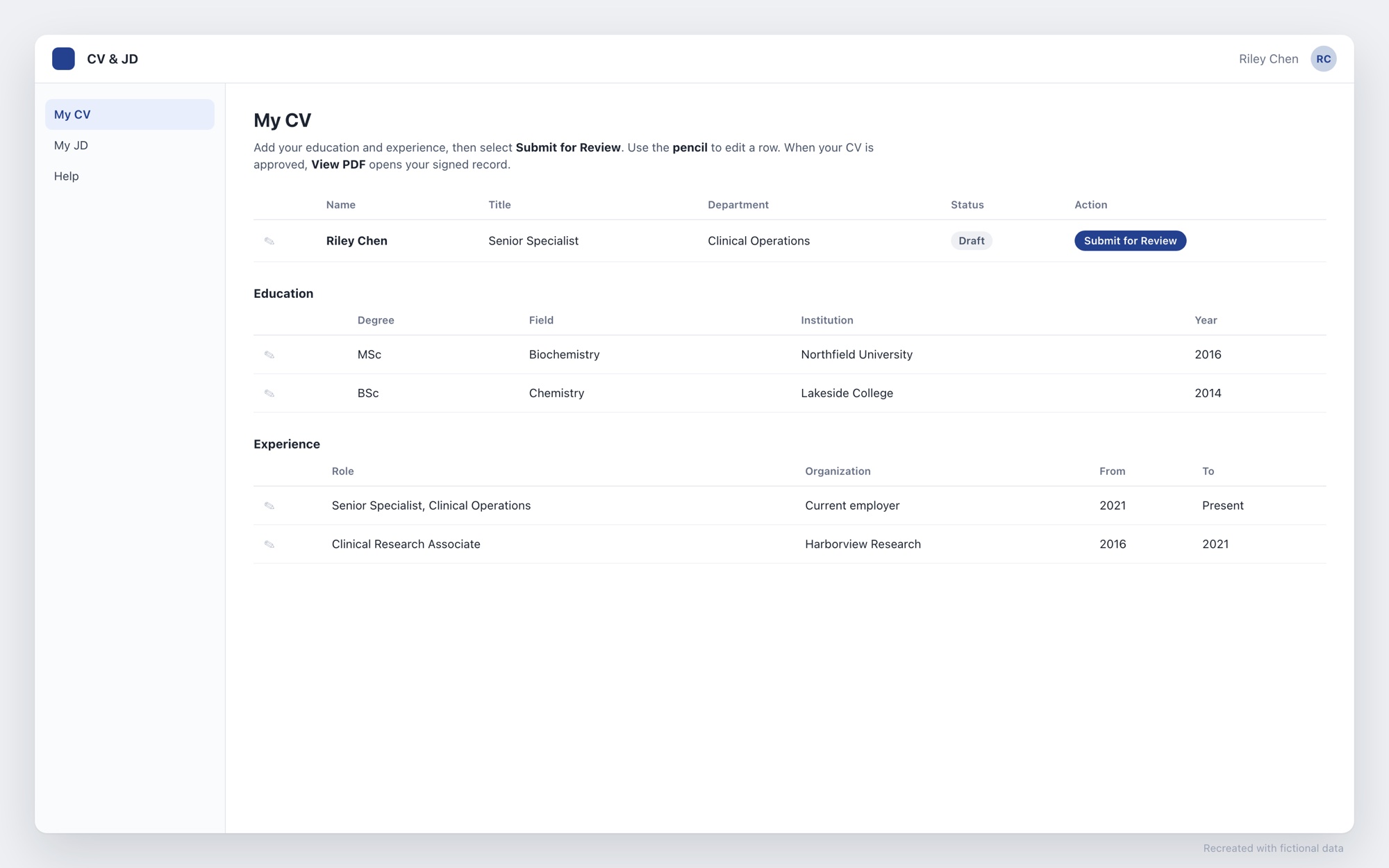
- One Action column changes with role and state: employees see Submit for Review, Start Revision or View PDF, managers see Review & Approve, and everyone else sees nothing, on purpose.
- A job description shows “Add Responsibilities & Qualifications first” until both are filled in. A CV is checked on submit, and the employee is emailed if something is missing.
- A hint that no longer matched the interface was removed after people reported that Submit wasn’t showing.
Simplified after feedback
- Job descriptions started as sub-lists. Management asked for free-text Responsibilities and Qualifications, so the sub-lists were retired.
- A manager-initiated path was dropped. It added complexity for a weak business case.
- Editing an approved record in place could make the PDF stop matching its data, so I designed a formal Start Revision path that returns it to Draft for re-approval.
- Managers were landing on a flat list of properties. A dedicated review page lets them review the actual PDF.
Microcopy that names the controls on screen
Page instructions sit above the list, name the controls people can actually see (the pencil icon, Submit for Review, View PDF), and never describe an action that isn’t on the page.
Platform choices and rollout
- Native SharePoint forms replaced PowerApps, which had layout problems. Built-in Approvals provided attestation, since e-signature tools weren’t available.
- Before launch I tested CV and JD submissions end to end, had a second person run a submission, and verified that employees can only see their own records.
- Rollout started with a pilot cohort, then followed a readiness checklist with smoke tests and launch-week checks.
Want the full story?
I'm happy to walk through this project, the decisions behind it, and what I'd do next.