SOP Builder
Write the procedure. The template takes care of itself.
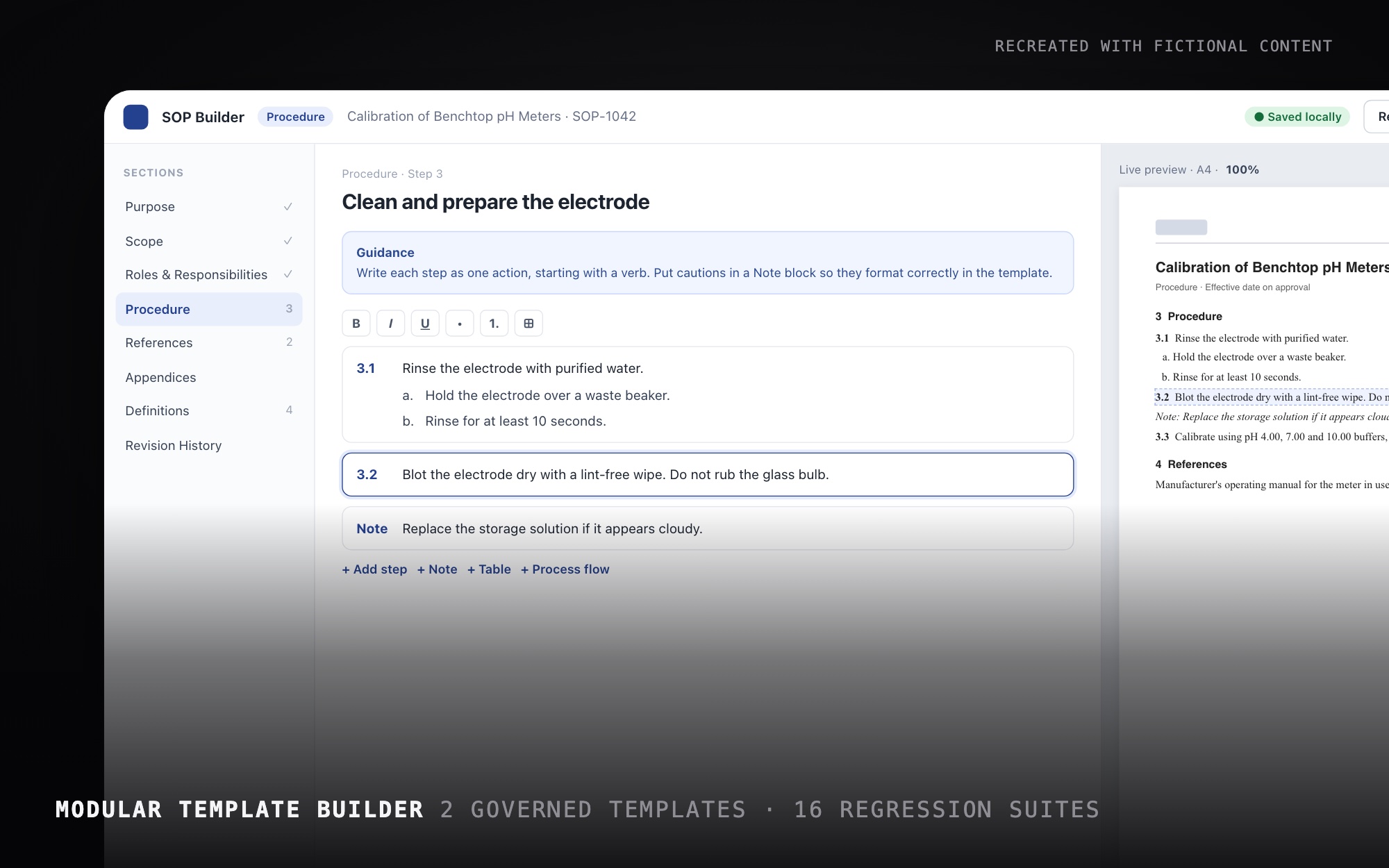
An internal web app for Novo Nordisk technical writers: fill in a governed structure, watch a true-to-scale preview, and download a correctly formatted Word SOP. I designed the product in a few days, wrote the specs and directed an AI-assisted build, then refined it with the writing team through v1.0.69.
- Product ownership
- UI/UX design
- UX writing
- Accessibility
- 3 daysConcept to working builder and redline
- 2Governed templates
- 16Automated regression suites
The Challenge
Writers on a company-wide SOP rewrite were hand-formatting Word templates. On top of the procedure itself, they had to manage section order, multilevel numbering, named styles, tables, diagrams, guidance text to delete, branding and the table of contents. Every document became a formatting exercise, and review with subject-matter experts happened in scattered comments.
The Solution
SOP Builder separates writing from formatting. Writers work through the governed sections in structured blocks, and numbering, styles and layout are generated. A live A4 preview shows the real document at true scale. Imports flag anything they can’t place, and a redline mode turns expert review into a record of decisions that exports as Word tracked changes.
Responsibilities
Designed for writers, built to the template.
- Product ownership and specs
- Information architecture
- Interaction and UI design
- UX writing and in-app guidance
- Accessibility
- Automated brand-compliance checks
- Directing an AI-assisted build
- Release notes and support
The Outcome
v1.0.69 shipped in September 2026 and is used by the writing team. The tool doesn’t collect usage data, so I don’t claim a time saving. The structure, numbering and brand rules now live in the tool instead of in each writer’s head.
Structure first, formatting automated
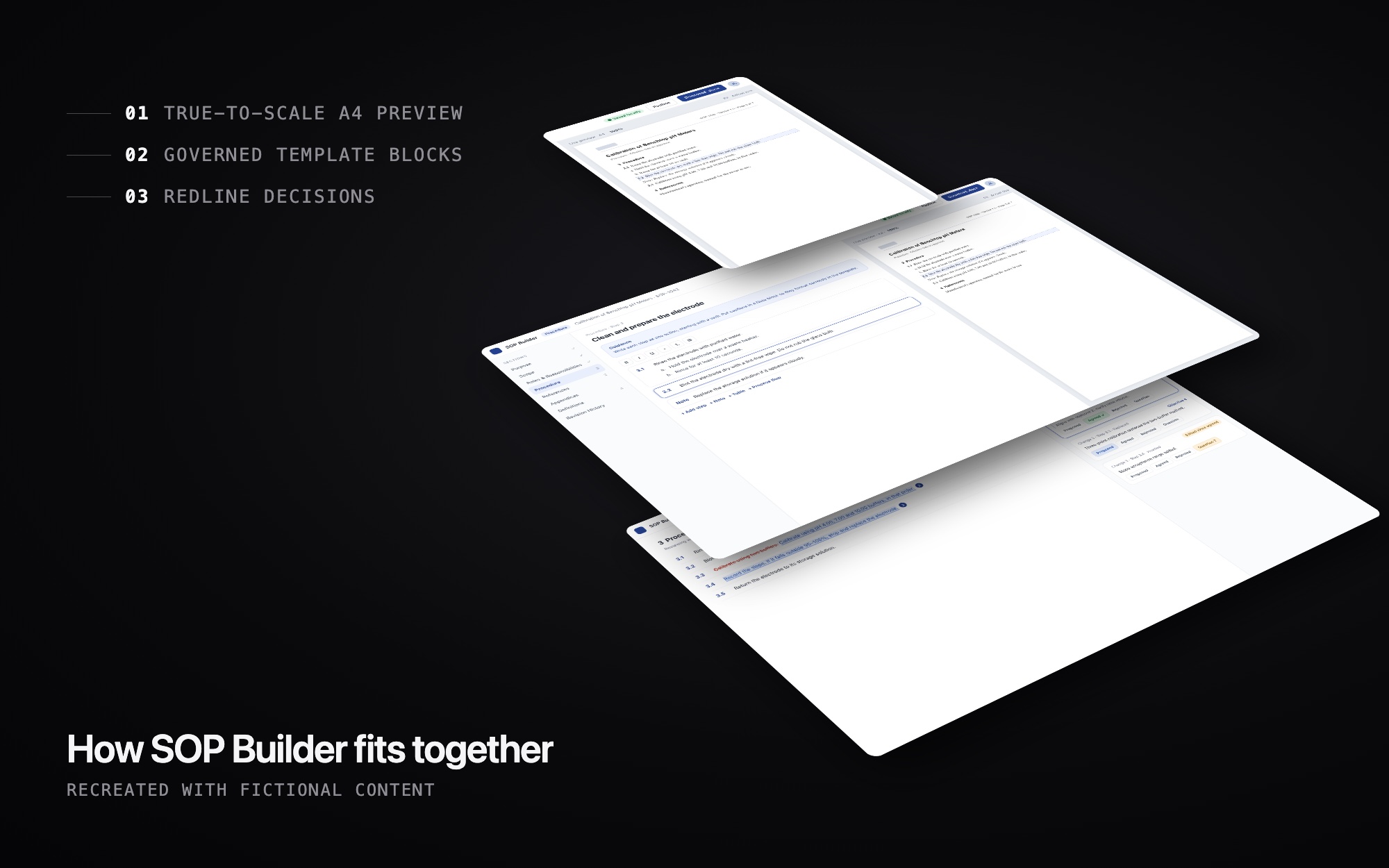
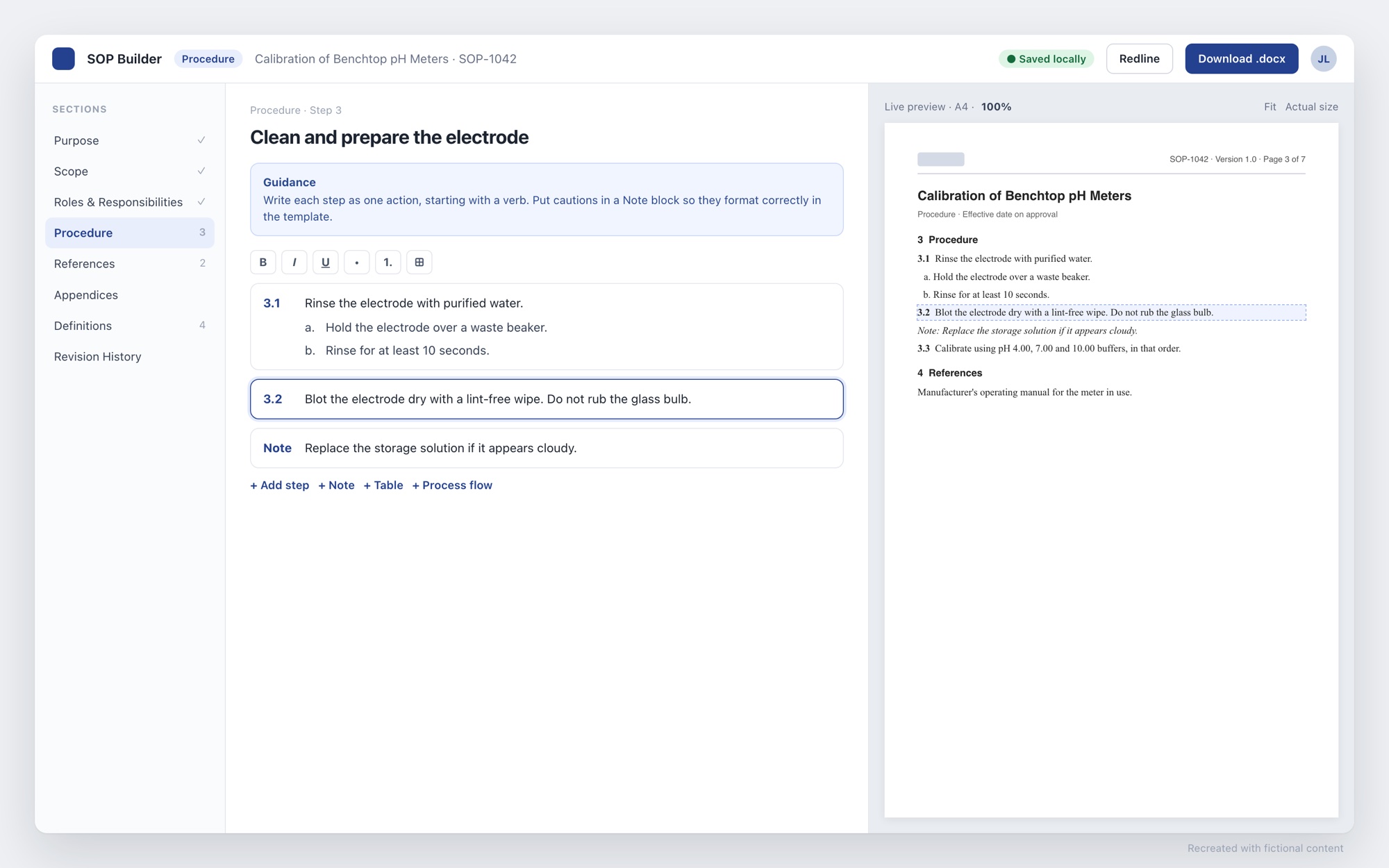
- The editor follows the governed section list, from Purpose to Revision History. Writers write; numbering and styles are generated.
- Procedure and Instruction each have their own structure, and a badge always shows which template you’re in.
- Each section has one guidance panel, rewritten from the Word template’s guide text. It can be toggled off and never appears in the export.
- The preview renders at true A4 scale, so 100% matches Word, with a resizable split and Fit or actual-size controls.
Imports that don’t lose anything
Most writers start from an existing Word or PDF SOP. Anything the importer can’t place goes into review notes instead of silently disappearing, and imports show progress and can be canceled. Glossary terms are checked against the team glossary: matches, differs or new.
Redline as the source of truth
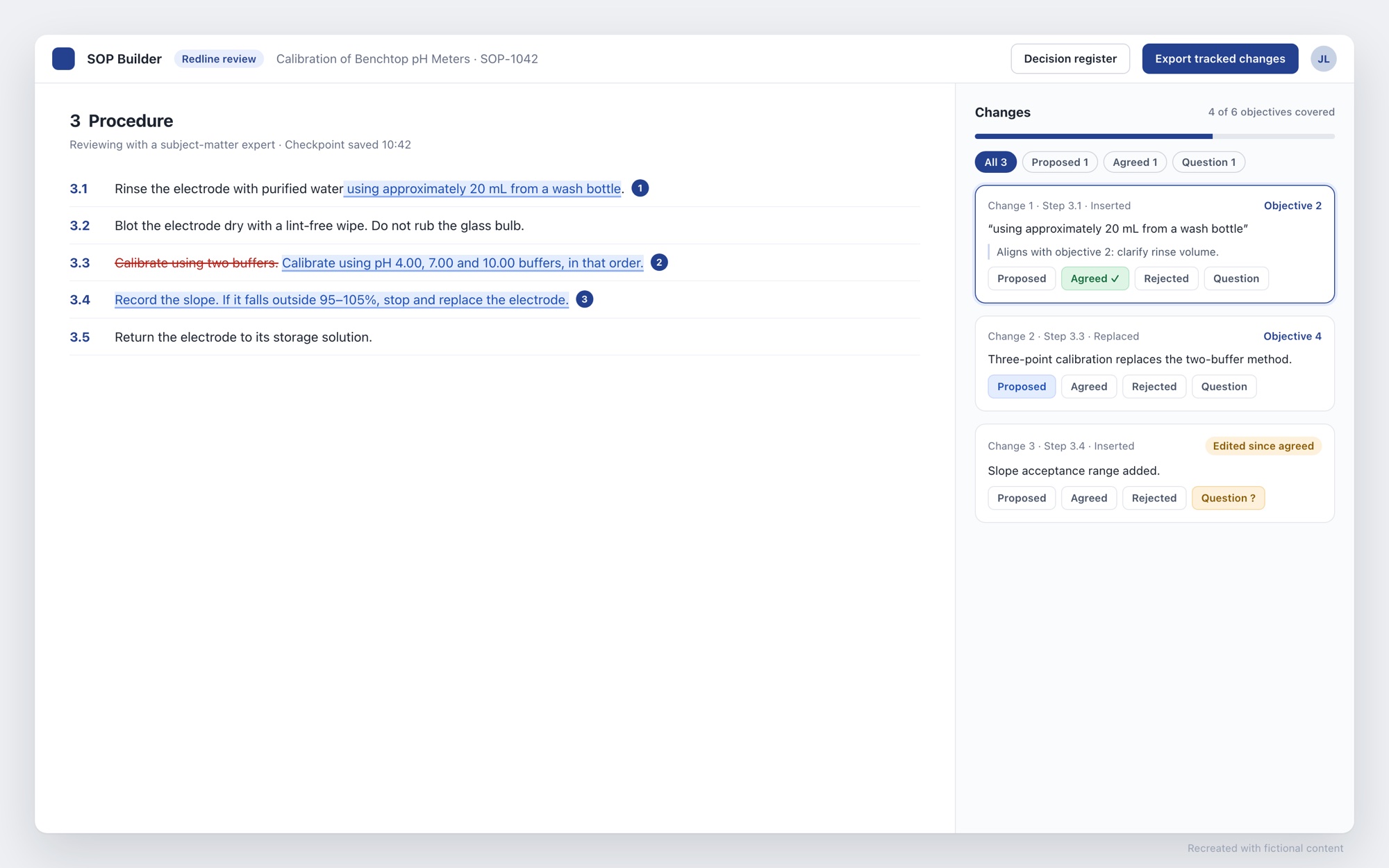
Review with subject-matter experts used to live in scattered comments. I designed a redline mode where every change has one of four states: Proposed, Agreed, Rejected or Question. Changes carry a rationale and can be linked to the rewrite’s objectives. If an agreed change is edited later, it’s flagged “edited since.” Experts never have to learn the tool. They review in Word or on a screen share, and the tracked changes and decision register are generated from this state.
Ownership, status and checkpoints
- A teammate’s document opens view-only. Making an editable copy is an explicit step, and documents are grouped by owner.
- The dashboard works out each document’s stage and progress from its redline state, so nobody maintains a separate status field.
- Local autosave runs continuously, but Word checkpoints are saved only when the writer chooses, so version history holds meaningful checkpoints instead of noise.
Accessible and on-brand by default
- Native browser alerts replaced with styled dialogs where Enter respects the focused button and Esc always works.
- Full keyboard access, darker small text, reduced-motion support, dark mode and a responsive layout.
- Collaborator presence is announced to screen readers, not shown by color alone.
- An automated brand test checks logo size, document typography, the palette, retired colors, sentence-case labels and WCAG contrast on every build.
- Document content stays in the browser. The optional AI assist copies a prompt for the writer’s approved AI tool and never puts content in a URL.
How I worked
The core product came together in three days in June 2026: the builder, Word export and import, then the redline engine and dashboard. I wrote the specs before each build, with dated scope decisions, and directed and reviewed the AI-assisted implementation. Refinements from writers’ feedback carried it through 69 numbered builds. A pre-beta audit closed 73 findings. A one-click feedback link pre-fills the build number, and I write the in-app release notes and a “Tips & common questions” section covering the things that trip people up.
Want the full story?
I'm happy to walk through this project, the decisions behind it, and what I'd do next.